
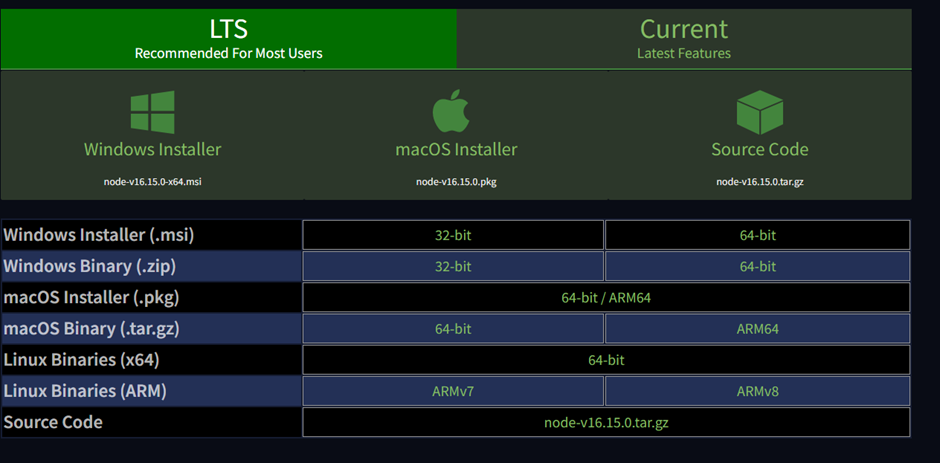
1.Download the Mac installer from the Nodes.js® web site. (https://nodejs.org/en/download/)
2.Choose the LTS version that’s shown on the left.
Go to the link https://nodejs.org/en/download/
3.Run the installer (double-click on the .pkg file you downloaded in the previous step.)
NOTE: If you are running macOS Catalina 10.15, you might get a warning like below:
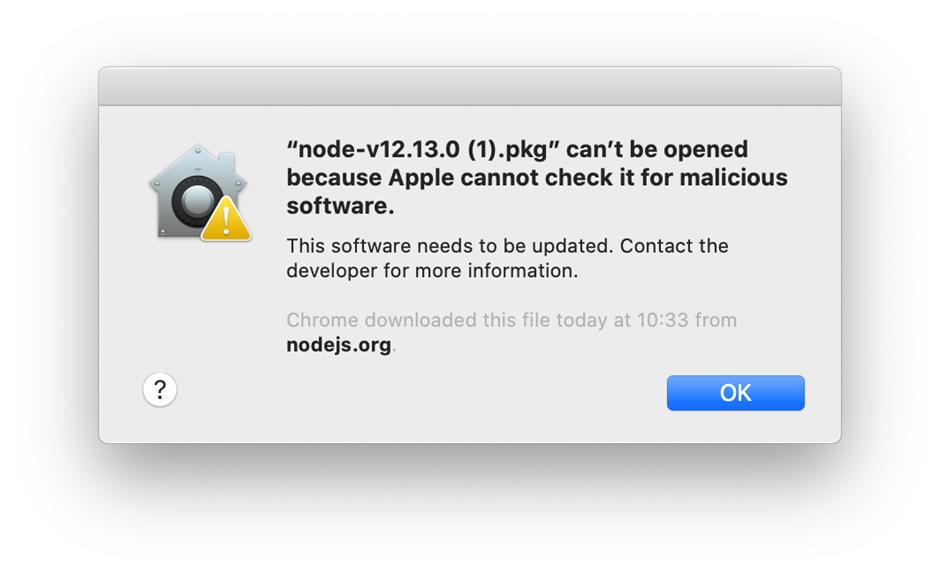
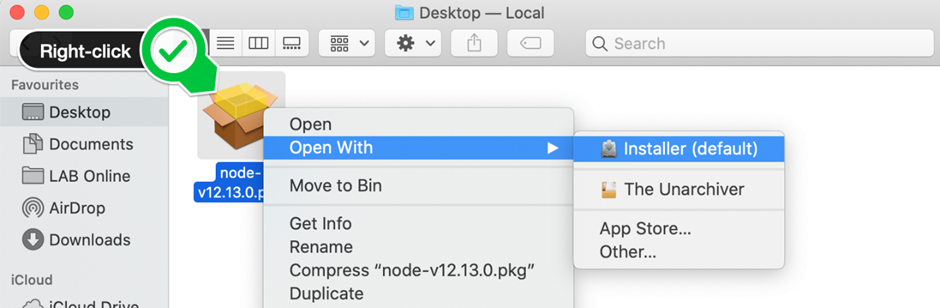
To solve this issue, just right click (hold down the control key on the keyboard and click) on the .pkg file and select “Open With” and then select “Installer (default)”.
4.Follow the prompts in the installer (Accept the license agreement, click the NEXT button a bunch of times and accept the default installation settings).
5.Confirm that node has been installed successfully by opening a Hyper terminal and entering the command
node –version
6.You can see that the version of node is installed.