
MICROSOFT EDGE
Microsoft has given 3 reasons as to why they are migrating from internet explorer to Microsoft Edge.
Download Microsoft Edge
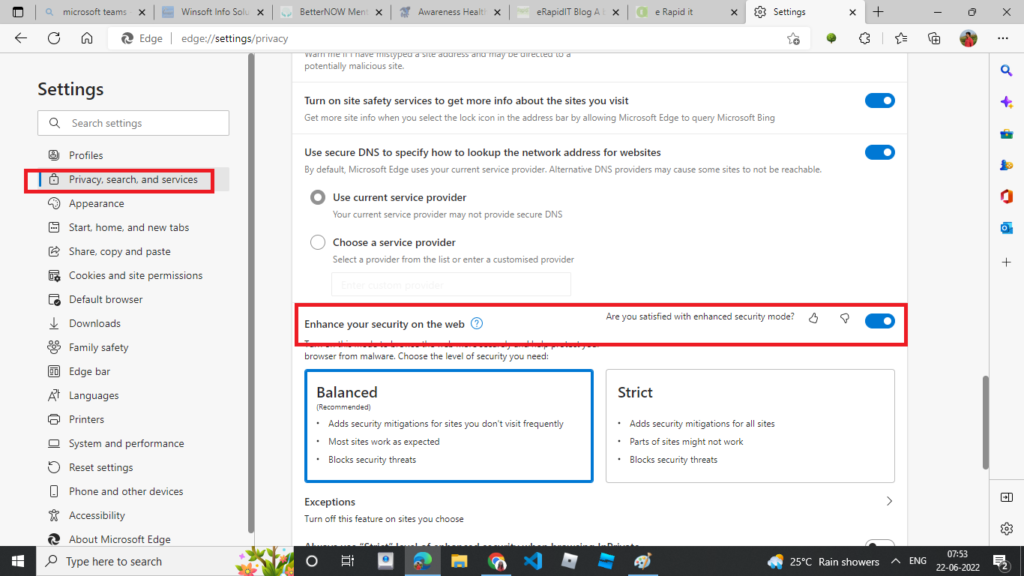
Improved browser security
Microsoft claims that Microsoft Edge Browser can issue security patches for immediate vulnerabilities. Also, the Chromium-based edge browser ensures good security against phishing and malware on Windows 10 & Windows 11.
To enable this feature :
Go To Settings
Open Privacy,Search and Services
Under the Security Tab Enable the Verify that enhance your security on the Web
streamlined productivity
Microsoft omproves the productivity of the browser by introducing a new feature-Sleeping Taps. This feature claims the browser users 16% less memory, 26% less CPU usage and increases the battery life of the device
To enable this feature, Go to settings
Click on System and Performance
Under Optimize Performance
Enable Fade Sleeping Tabs
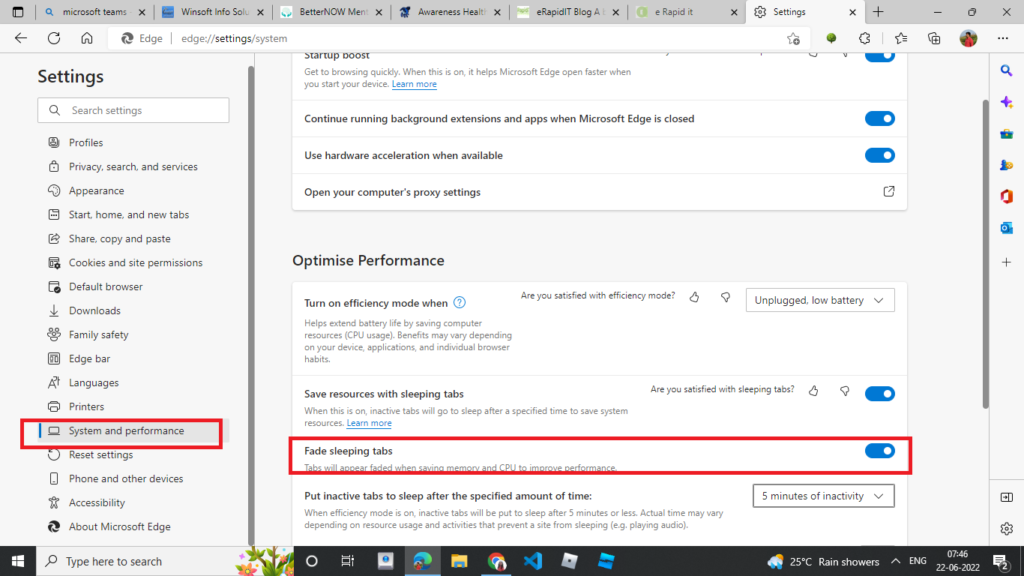
Fade Sleeping Taps-enabled
compatibility with both legacy and modern websites
Microsoft claims compatibility with internet explorer-based websites and applications. Also , its compatible with modern day websites
Also,Microsoft Edge has a IE mode which helps to open the websites which have functionalities that is not supported by modern browsers
The internet explore mode can be enabled as follows :
Go to settings
Default browser
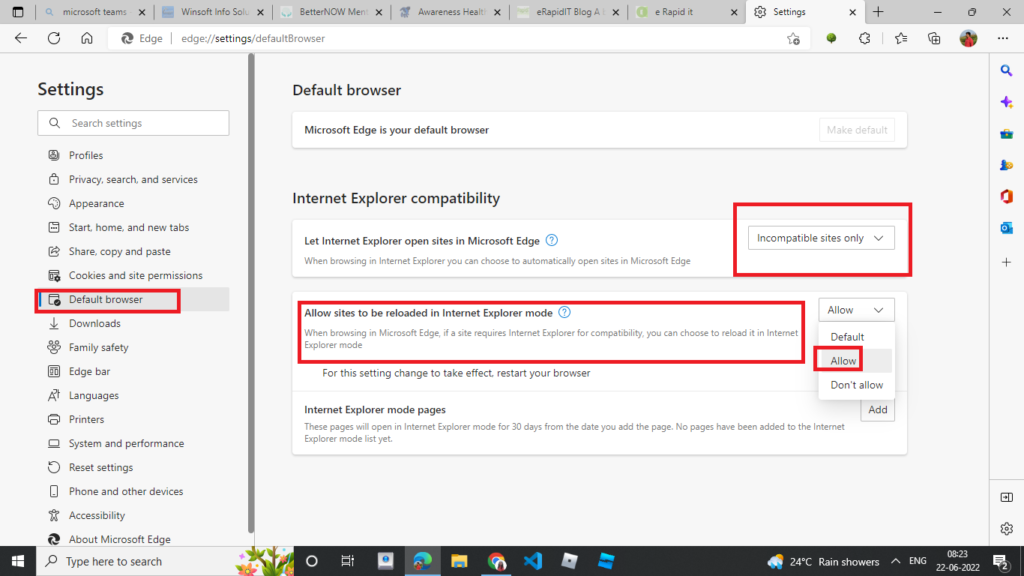
Under internet explorer compatibility -> Enable Allow sites to be reloaded in internet explorer mode
For settings change take affect , its recommended to restart the browser
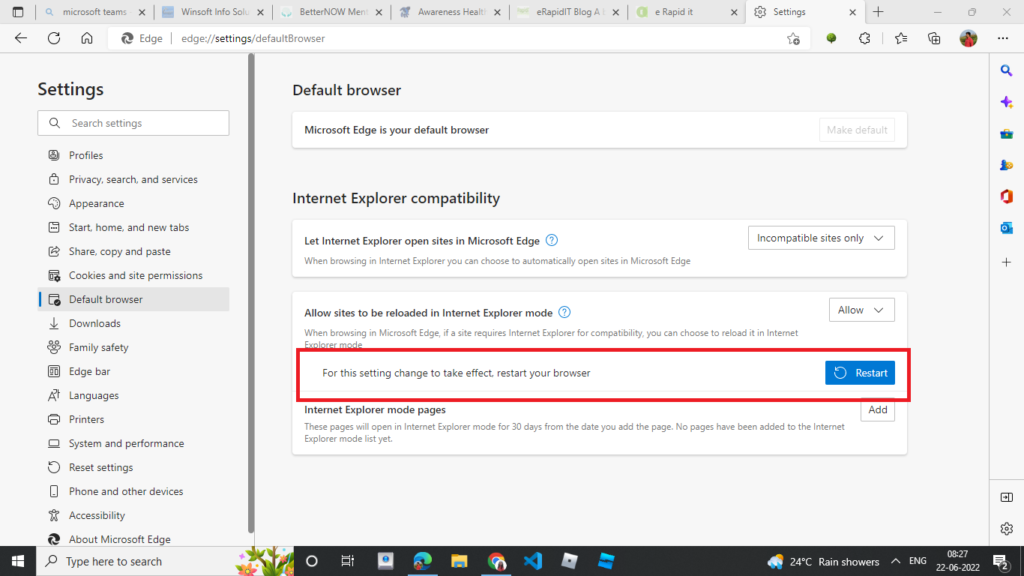
Microsoft says that IE mode will be supported on Microsoft Edge through at least 2029