
Bookmark Manager
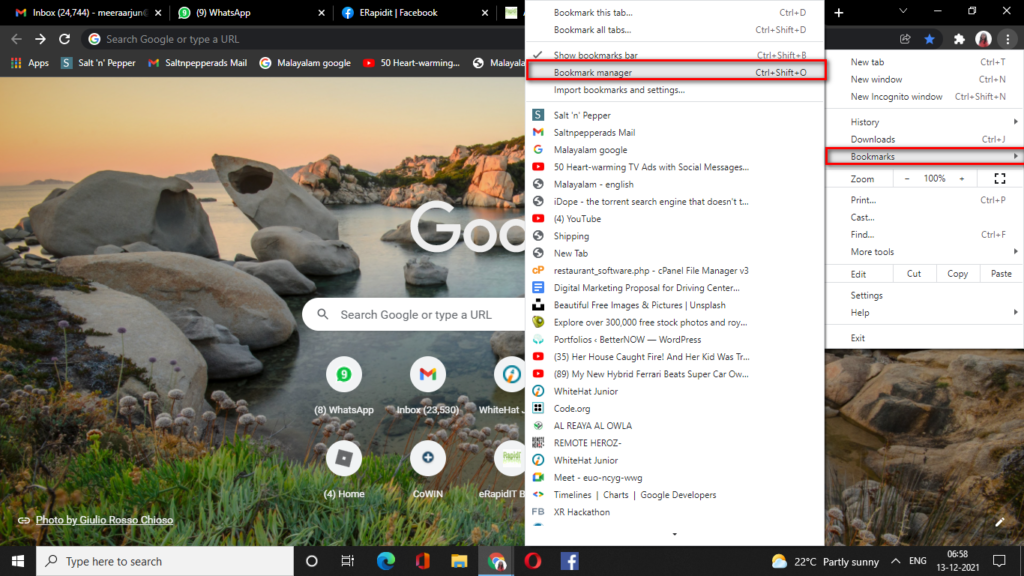
Bookmark section in the Google Chrome browser facilitates to list the bookmarked links in seprerate folders,which makes our browsing more easy. For making a new folder Go To Bookmarks->Select Bookmark Manager
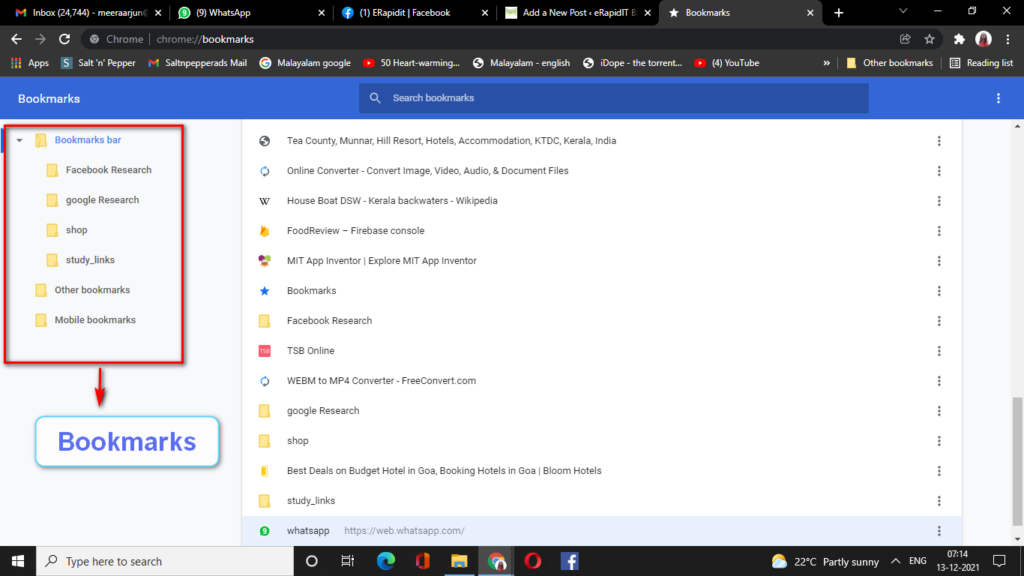
The Bookmarke manager page will get opened here with all the Folders and Bookmark links we have created so far. The Left Pane on the Bookmark Manager Indicates these
How to create New Folder in Bookmark Manager
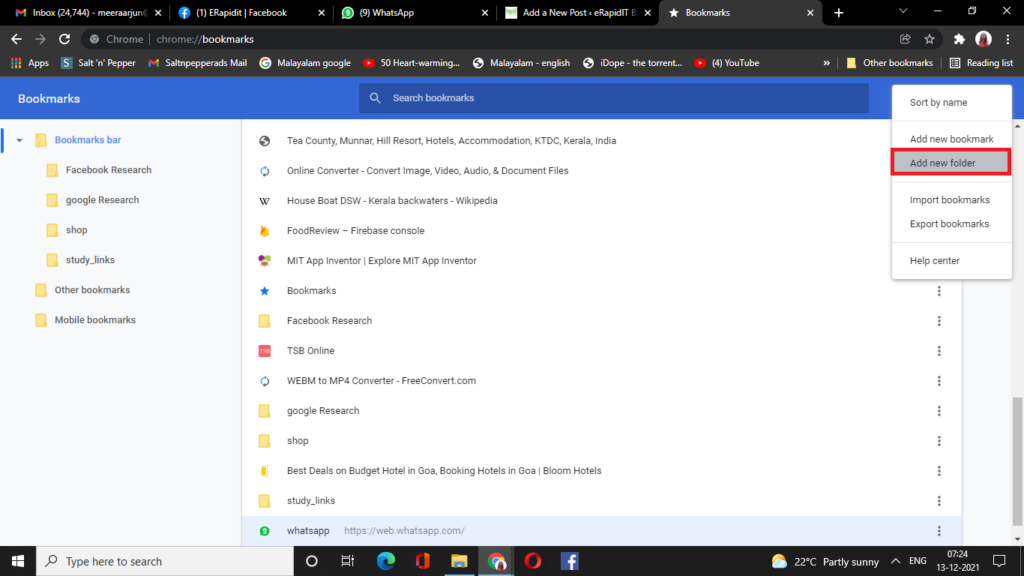
To create new folder in Book mark manager Go To  on the Right corner of the Bookmark Manager Page.Select Add New Folder
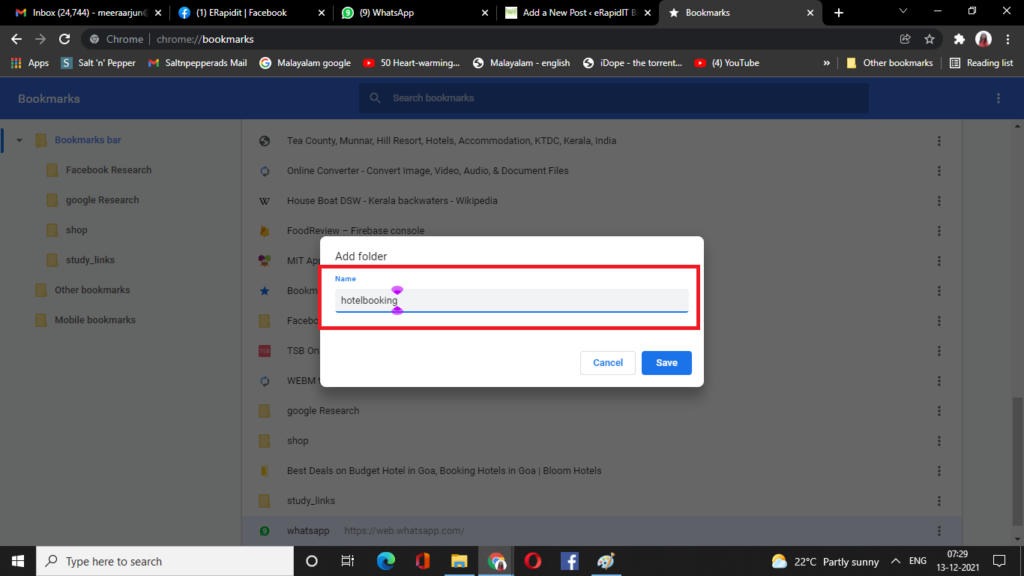
Enter the new Folder name over here and click save. The folder will be created under the Bookmarks bar
Open the link you want to bookmark and Select the star  on the right side of the page and click on Add Bookmark . To refer this click the link below
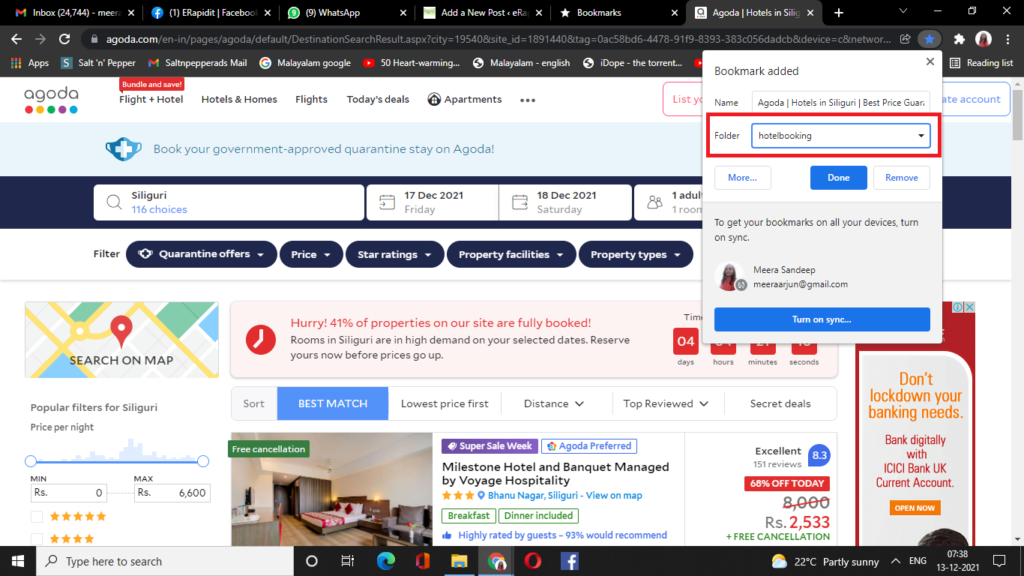
The link is now added to the hotelbooking folder we have created before. Just like this we can any number of links to this folder. This will be helpful to reach back to the folder and find out our last search for hotel booking sites.
Below you can see all the Websites I have added below the hotelbooking folder so far.
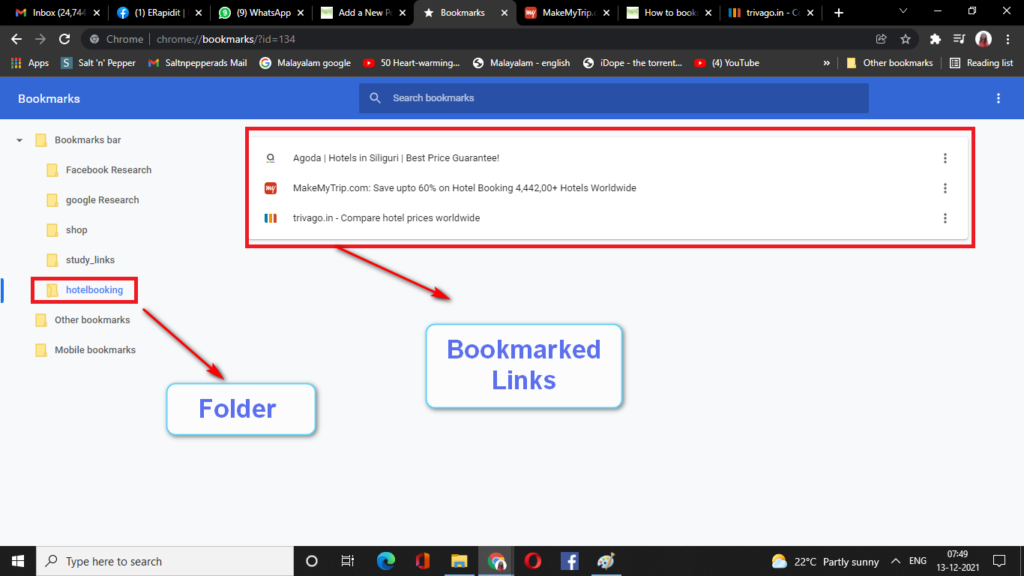
This is the method by which you can bookmark your favourite links under a specific folder in Bookmark Manager-Google Chrome Browser
Excellent goods from you, man. I’ve understand your stuff previous to and you’re just extremely excellent. I actually like what you have acquired here, certainly like what you’re stating and the way in which you say it. You make it enjoyable and you still care for to keep it smart. I cant wait to read far more from you. This is actually a great website.